Accessibility Reviewer
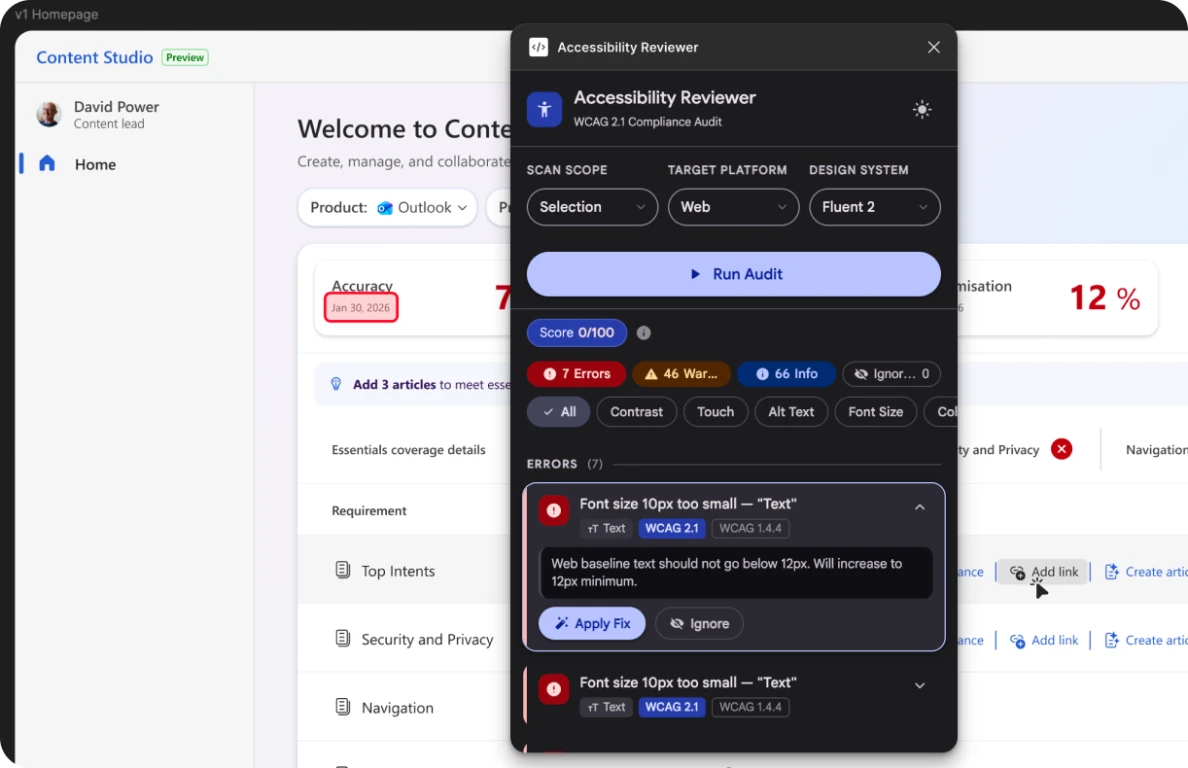
Catch WCAG issues before your users do. A Figma plugin I designed and vibecoded with GitHub Copilot CLI. It audits a selection, a page or a whole file against WCAG 2.1 and fixes most issues in one click, right where designers work.
- Role
- Designer and builder (solo, hackathon project)
- Built with
- Figma Plugin API, vibecoded with GitHub Copilot CLI
- Standards
- WCAG 2.1, with web, iOS and Android profiles
- Designed for
- Product designers at Microsoft and beyond
01The problem
Accessibility reviews happen too late, by too many people, and mostly by eye.
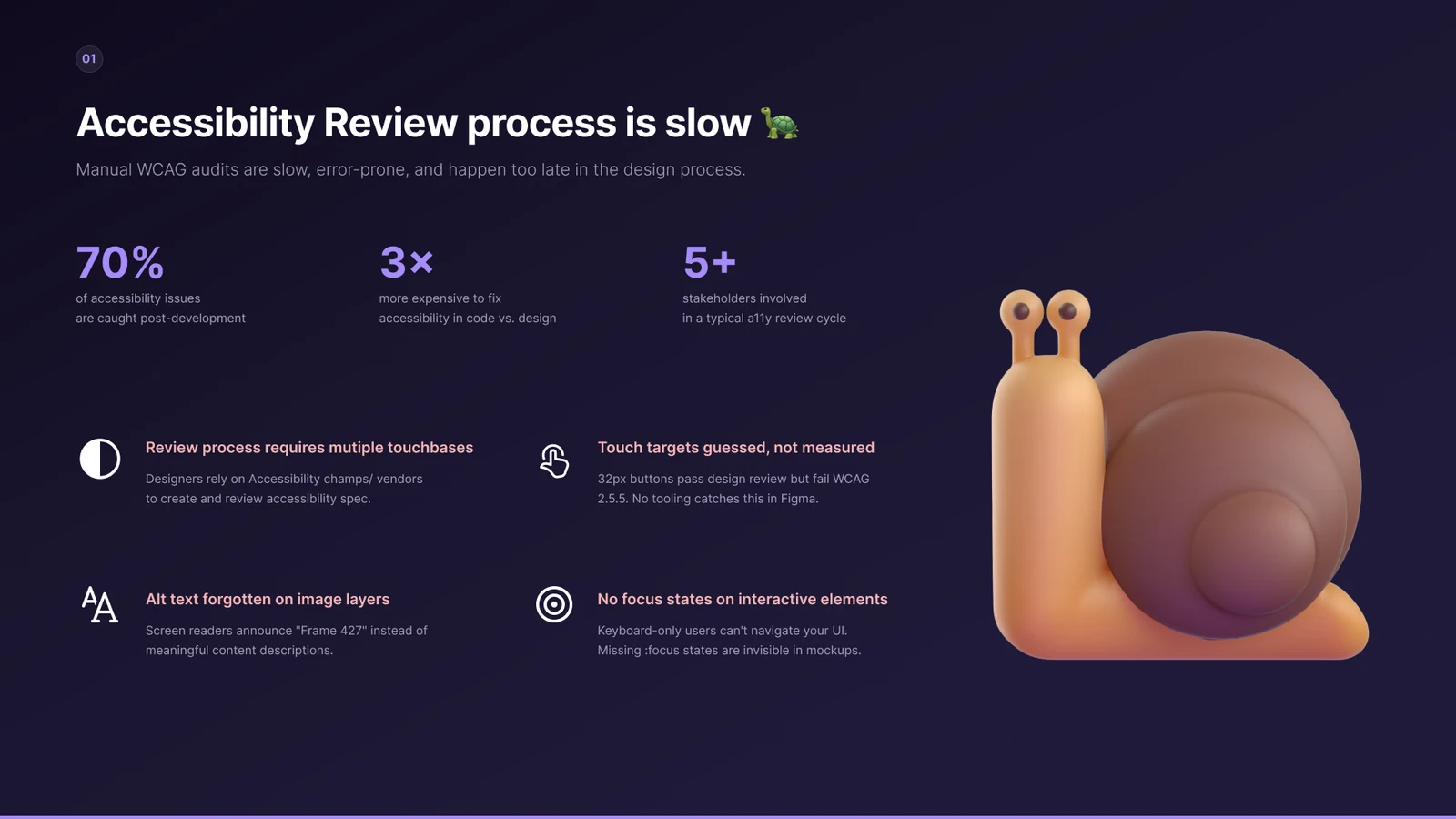
Manual WCAG audits are slow and error-prone, and they usually happen after handoff. By then, every fix costs more and involves more people.
- of accessibility issues are caught after development
- 70%
- more expensive to fix accessibility in code than in design
- 3×
- stakeholders in a typical accessibility review cycle
- 5+
Where it breaks down
Reviews need multiple touchpoints
Designers rely on accessibility champions or vendors to write and review the accessibility spec.
Touch targets are guessed, not measured
32px buttons pass design review but fail WCAG 2.5.5, and nothing in Figma catches it.
Alt text is forgotten on image layers
Screen readers announce “Frame 427” instead of a meaningful description.
Focus states go missing
Keyboard-only users can’t navigate the UI, and missing focus states are invisible in mockups.
02The solution
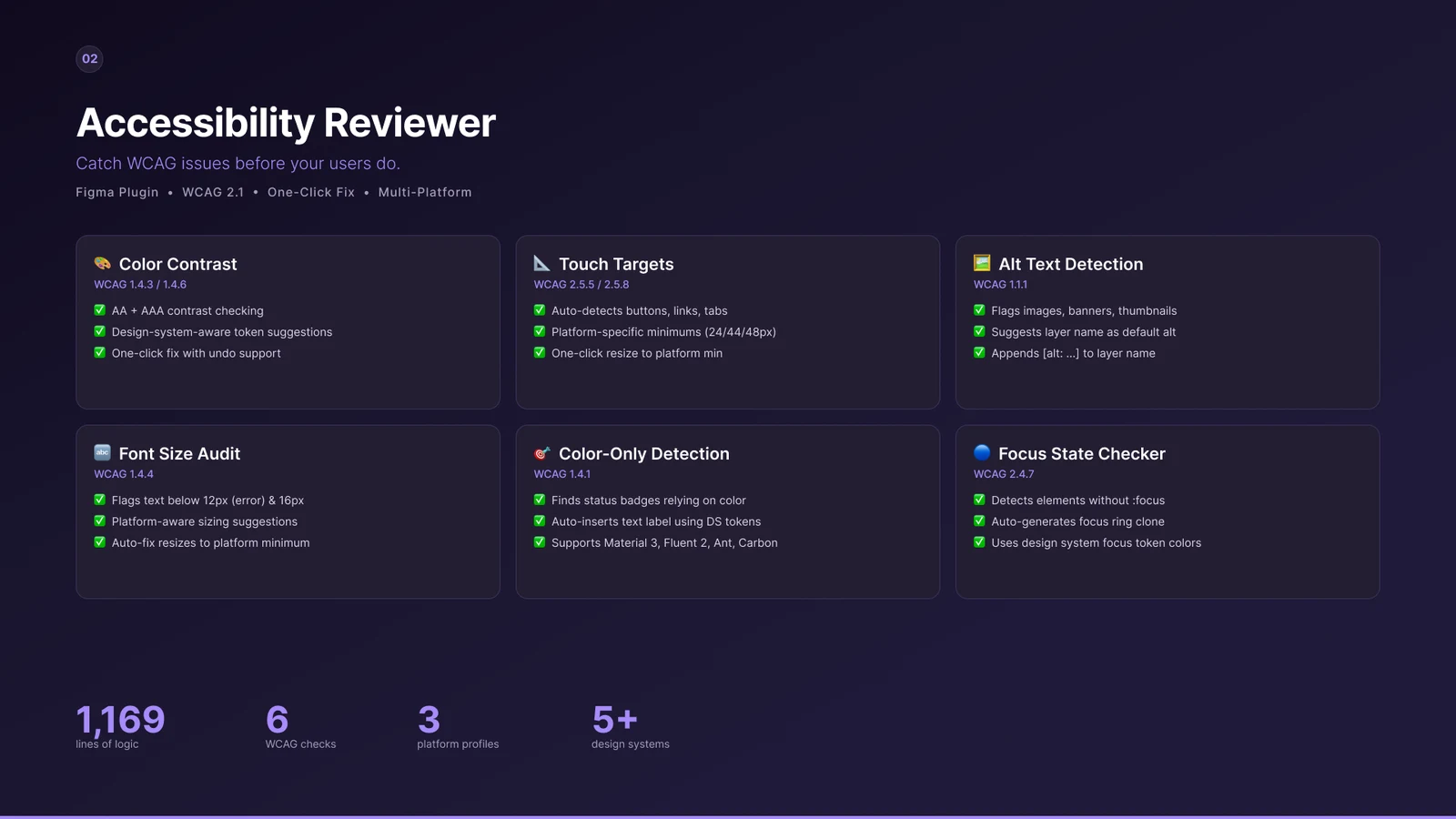
Six WCAG checks, built into Figma, each with a one-click fix.
Accessibility Reviewer runs where the design lives. It understands the target platform and the design system, so its suggestions use real tokens, not arbitrary values.
Color contrast
WCAG 1.4.3 / 1.4.6
AA and AAA contrast checks, with design-system token suggestions and a one-click fix you can undo.
Touch targets
WCAG 2.5.5 / 2.5.8
Auto-detects buttons, links and tabs, checks platform minimums (24, 44 or 48px) and resizes in one click.
Alt text detection
WCAG 1.1.1
Flags images, banners and thumbnails, suggests the layer name as a default and appends [alt: …] to the layer.
Font size audit
WCAG 1.4.4
Flags text below 12px as an error and below 16px as a warning, with platform-aware sizes and an auto-fix.
Color-only meaning
WCAG 1.4.1
Finds status badges that rely on colour alone and inserts a text label using design-system tokens.
Focus states
WCAG 2.4.7
Detects interactive elements without a focus state and generates a focus ring with the system’s focus colour.
It ships with profiles for Material 3, Fluent 2, Ant Design, Carbon and Bootstrap 5.
03How it works
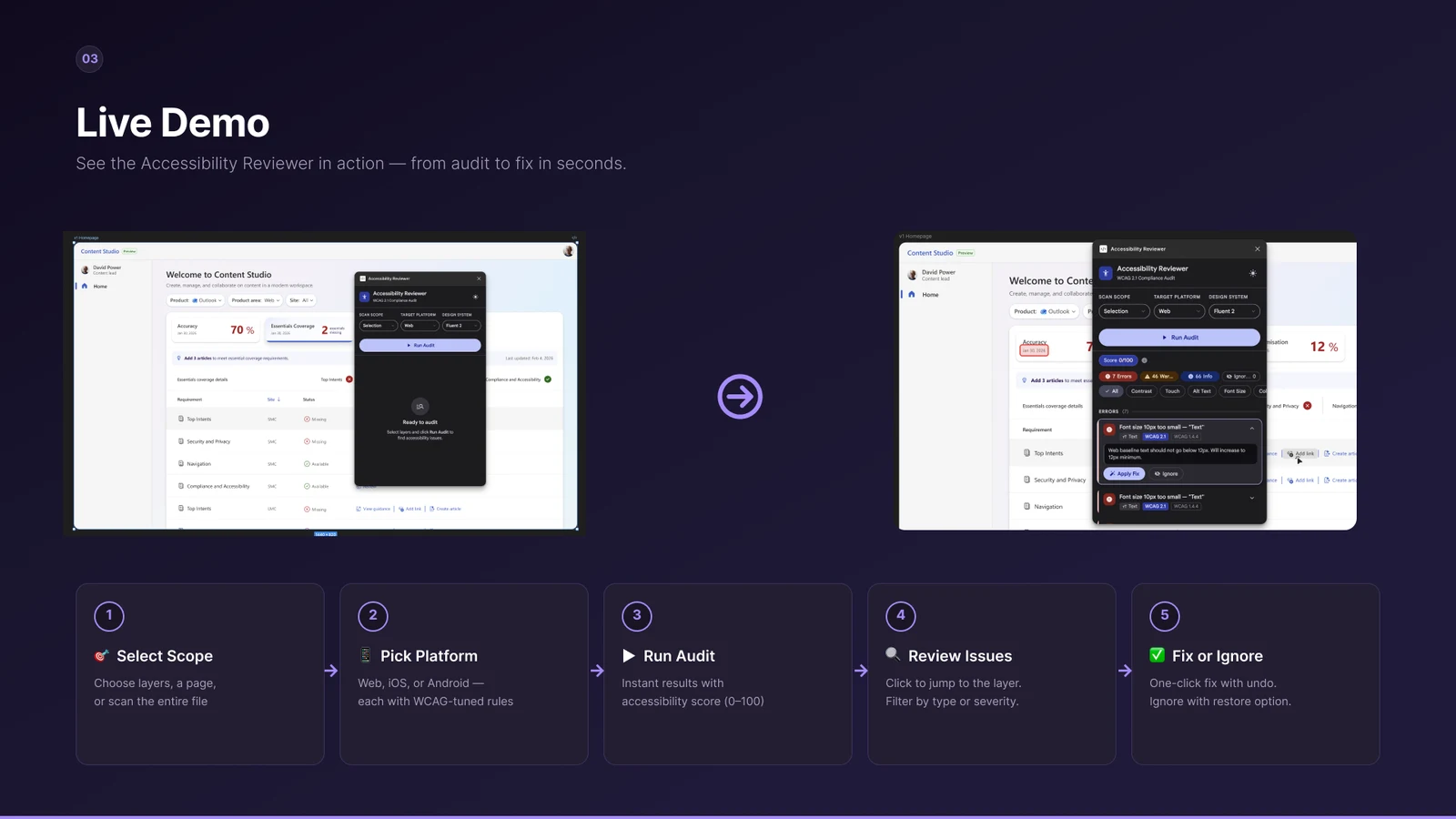
From audit to fix in seconds, without leaving the canvas.
- Select scope. Choose layers, a page, or scan the whole file.
- Pick a platform. Web, iOS or Android, each with WCAG-tuned rules.
- Run the audit. Instant results with an accessibility score from 0 to 100.
- Review issues. Click to jump to the layer, and filter by type or severity.
- Fix or ignore. One-click fixes you can undo, or ignore with an option to restore.
04Key learnings
I vibecoded the plugin with GitHub Copilot CLI. Here’s what worked and what didn’t.
What worked
Rapid prototyping in plain English
I described WCAG rules in plain language and Copilot generated the audit functions. Six checks were scaffolded in hours, not days.
Exploring the Figma Plugin API
Copilot navigated the Plugin API in context, including loadFontAsync, textAutoResize and dynamic page access.
Design-system token mapping
It generated full token profiles for Material 3, Fluent 2, Ant, Carbon and Bootstrap 5 from descriptive prompts.
A fix and undo architecture
Copilot helped design a snapshot-based undo system that tracks six fix types with clean rollback.
What didn’t
Colour maths was wrong at first
The first contrast calculation ignored alpha compositing, so I corrected the formula by hand.
Fixes caused new bugs
Fixing one issue sometimes created a few others, and some changes had to be reverted.
05Impact
A focused tool that makes accessibility a design-time habit rather than a ship-time surprise.
- lines of audit and fix logic
- 1,169
- WCAG checks, each with a fix
- 6
- platform profiles: web, iOS and Android
- 3
- design systems supported
- 5+
06Way forward
Now: publish to the Microsoft Design Community
Package the plugin for internal distribution, write documentation and a usage guide, create an onboarding walkthrough, and share it at the Microsoft Design Accessibility Guild.
Next: test and iterate on feedback
Pilot with two or three product design teams, gather feedback on check accuracy and UX, add more WCAG 2.2 criteria and improve detection.
Later: scale and evolve
Publish to the Figma Community, add batch fixes across whole files, export audit reports for CI/CD, and explore Figma Dev Mode.
Open to new work
Have a complex product that needs to feel obvious?
I turn tangled enterprise and AI workflows into experiences people trust, from research to shipped UX.
Let’s collab