Clippy Deskbot
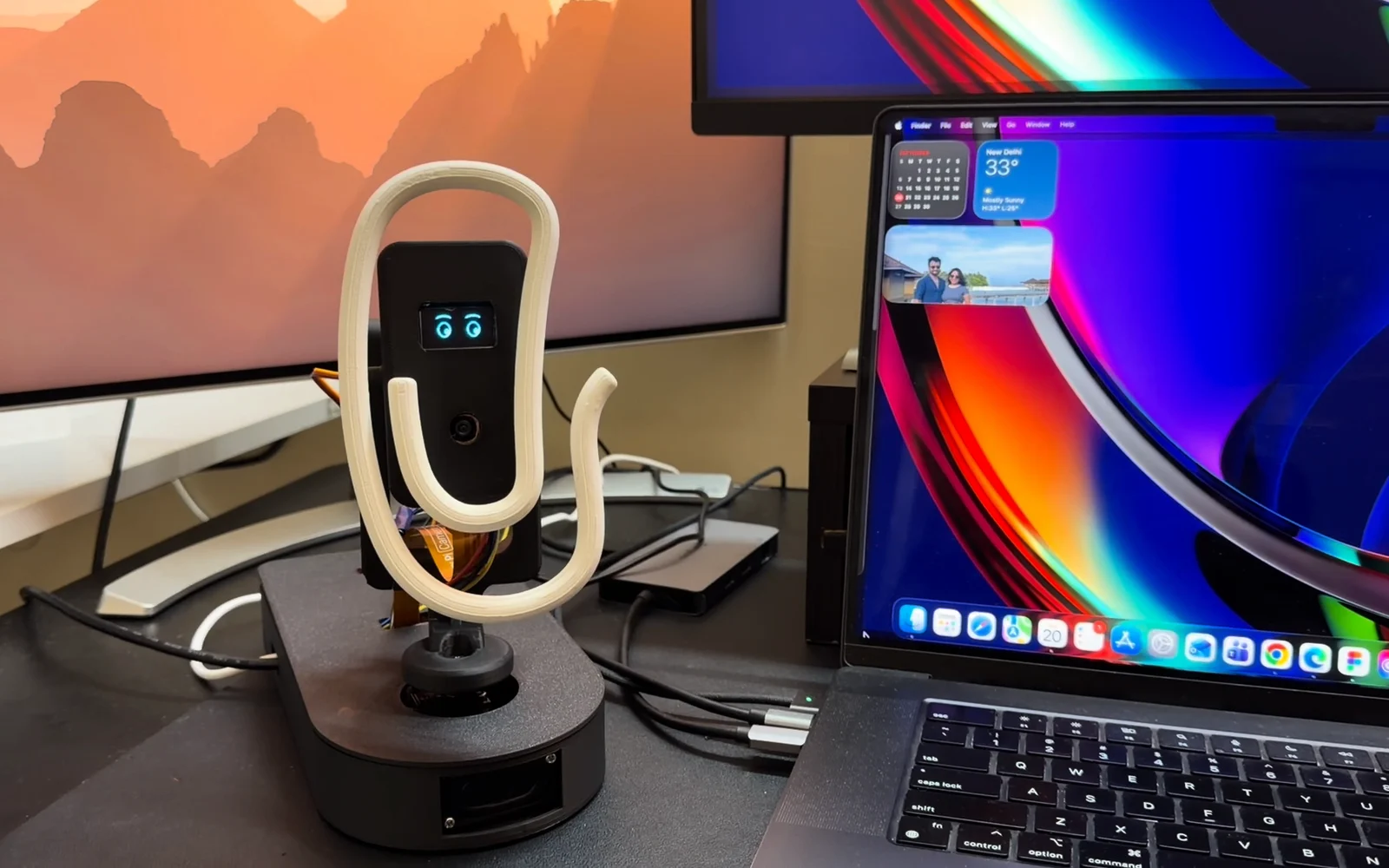
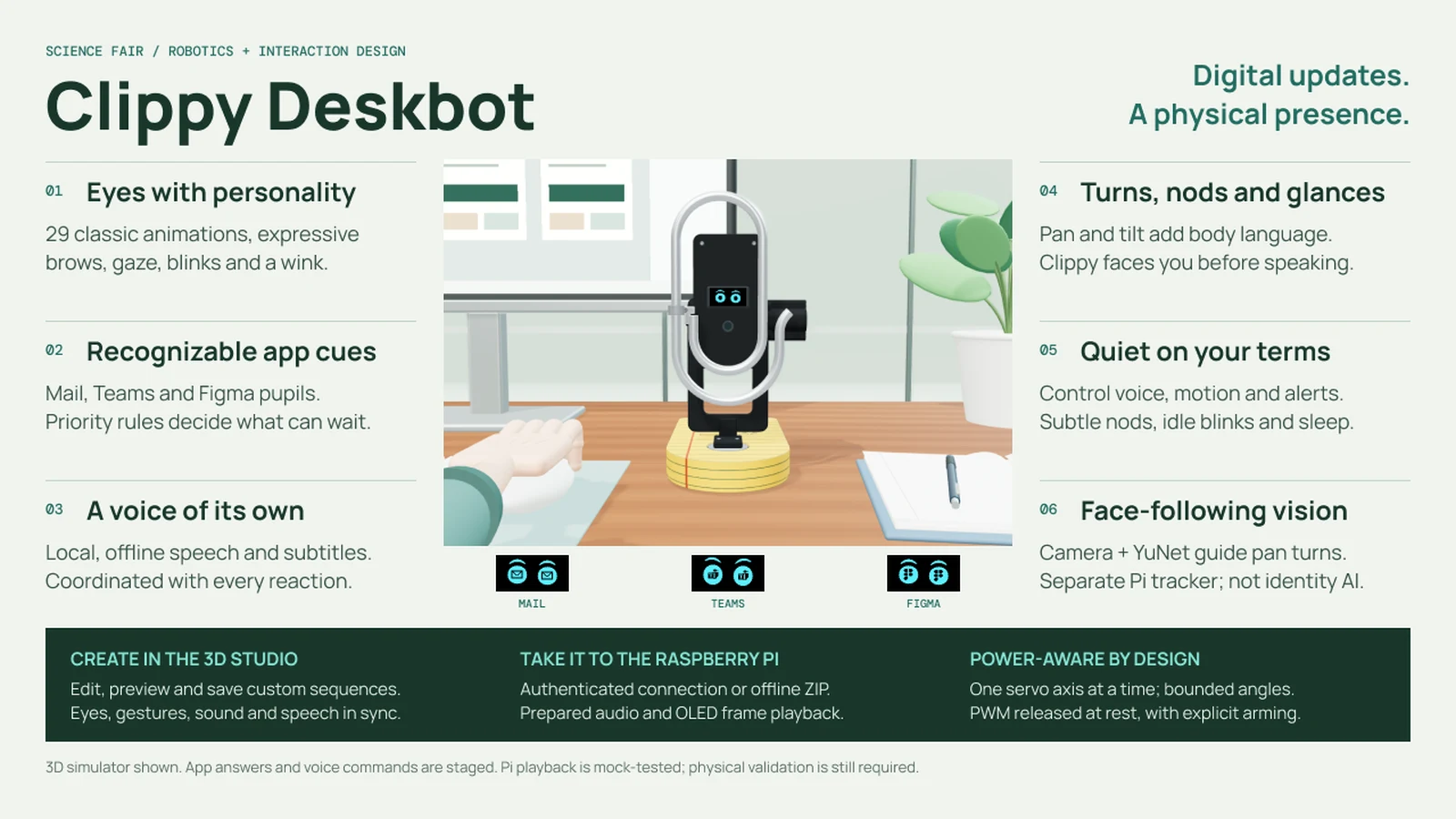
Digital updates. A physical presence. A desk robot inspired by Microsoft’s Clippy that turns Teams, Outlook, Calendar and Figma notifications into glances, nods and a few spoken words, so you know something happened without leaving your work.
- Role
- Interaction designer and co-creator, with Vishruth
- Focus
- Eye animation, gesture language and notification behaviour
- Built with
- Raspberry Pi 5, two servos, a 128 × 64 OLED, camera, speaker
- Thanks
- Aatman and the Microsoft Garage
01The problem
A notification pulls us away from the task we were doing.
Teams, Outlook, Calendar and Figma all announce themselves the same way: a banner, an icon or a sound. Each one asks us to switch windows just to find out whether it matters.
Our hypothesis: a small, recognizable physical cue could help people notice an update without immediately leaving their work. The question to test was whether people can read the cue accurately and get back to their task sooner.
Clippy shouldn’t behave like a computer with a face. It should behave like a tiny desk companion that happens to understand your computer.
North star
02The idea
Turn every digital event into one coordinated, readable response.
Clippy sits beside the screen and answers events through three channels, each with one job. Software sequences them; the robot isn’t inferring anyone’s emotions.
Eyes
Emotion
Expressions and app-specific pupils on a small cyan display show the source, the urgency and the robot’s state.
Movement
Attention
Two servos turn and tilt the body. A slow turn means “something happened”; a quick one means “now”.
Voice
Information
A short spoken line adds detail only when the event deserves more than a glance.
Every interaction follows the same four beats, so people learn the pattern once:
- Attention. Something happened.
- Expression. Here’s how I feel about it.
- Information. Here’s what’s happening.
- Resolution. Back to idle.
03Eye language
Expressive eyes, not another screen.
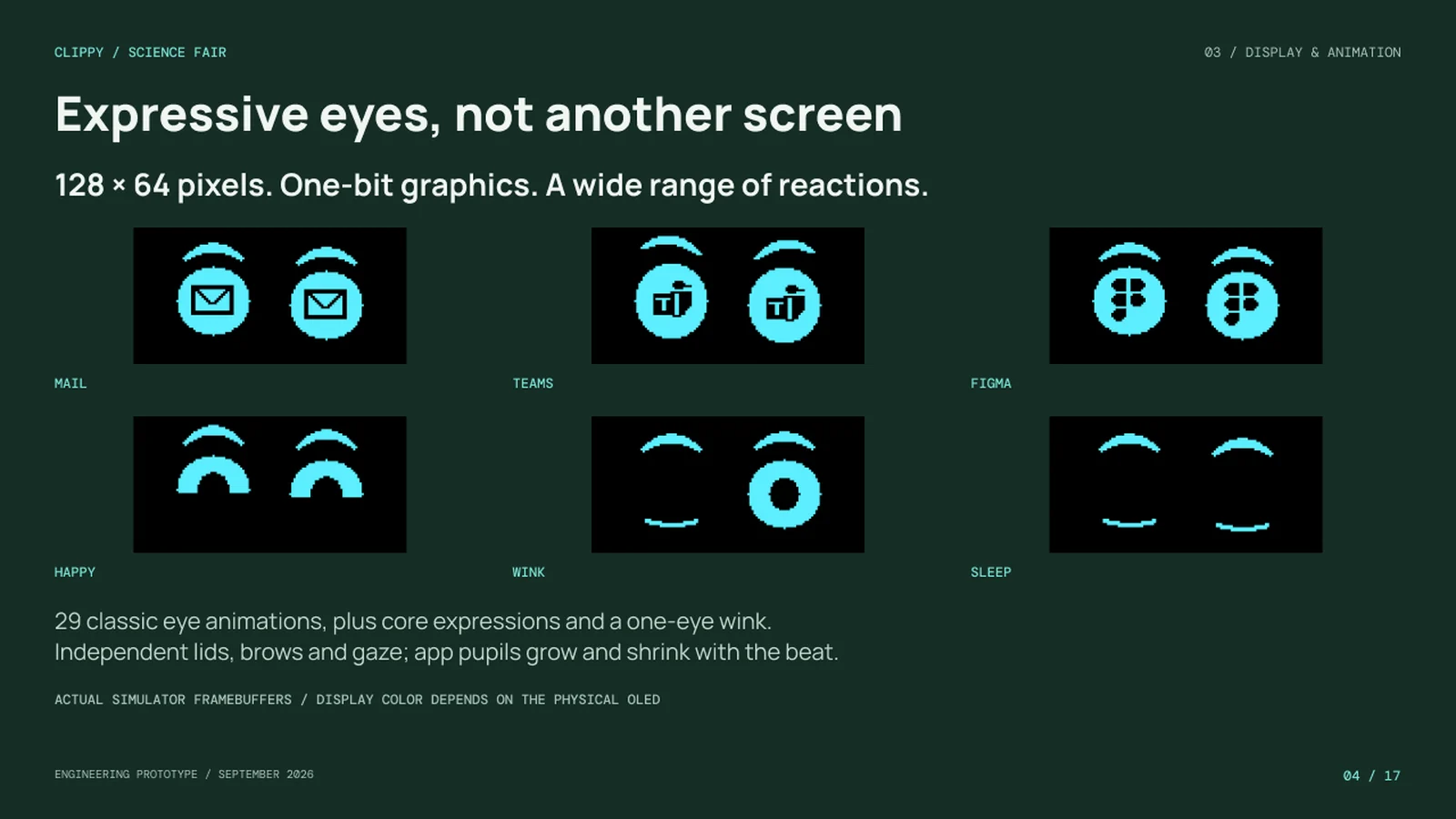
The 128 × 64 one-bit display can’t show an interface, and it shouldn’t. We treated it as a tiny animation canvas: independent lids, brows and gaze, 29 classic eye animations plus a one-eye wink, and app pupils that grow and shrink with the beat.
| Eyes | Meaning |
|---|---|
| Blink | Idle behaviour and transitions |
| Double blink | Acknowledgement or confirmation |
| Look left / right | Attention, searching, curiosity |
| Look up | Thinking or processing |
| Wide | Surprise, an important notification |
| Happy | Success, thanks |
| Sad | An error or disappointment |
| Asymmetric | Uncertainty, a misunderstood request |
| App pupils | Mail, Teams or Figma, recognizable at a glance |
| Sleep | Do Not Disturb or long inactivity |
04Gesture language
Motion should always mean something.
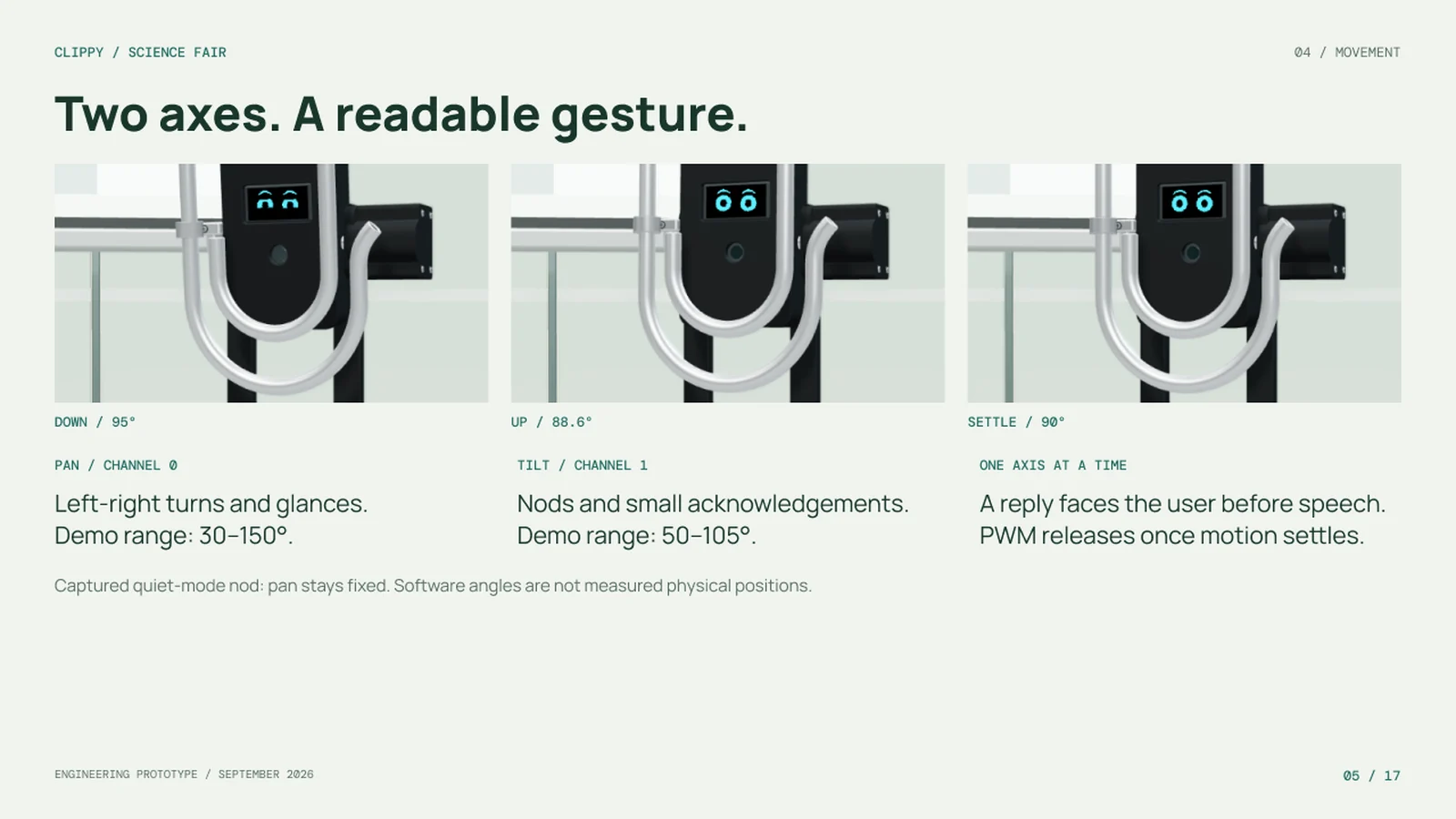
The pan servo turns the body left and right; the tilt servo nods. Only one axis moves at a time, and Clippy always faces the person before it speaks.
| Gesture | Meaning | Typical use |
|---|---|---|
| Slow turn toward you | Attention | A normal notification |
| Quick turn | Urgency | A meeting starting now |
| Small left-right movement | Thinking | An API lookup or confusion |
| Small nod | Yes, acknowledged | Success or thanks |
| Small shake | No, failed | An error or rejected action |
| Curious turn | Interest | A Figma comment |
| Return to centre | Resolution | The end of every interaction |
Behaviours are composed from a small vocabulary of reusable primitives rather than one-off animations. A Teams message, for example, is QUICK_TURN + ALERT + NOTIFICATION_SOFT + VOICE + CENTER.
05Attention rules
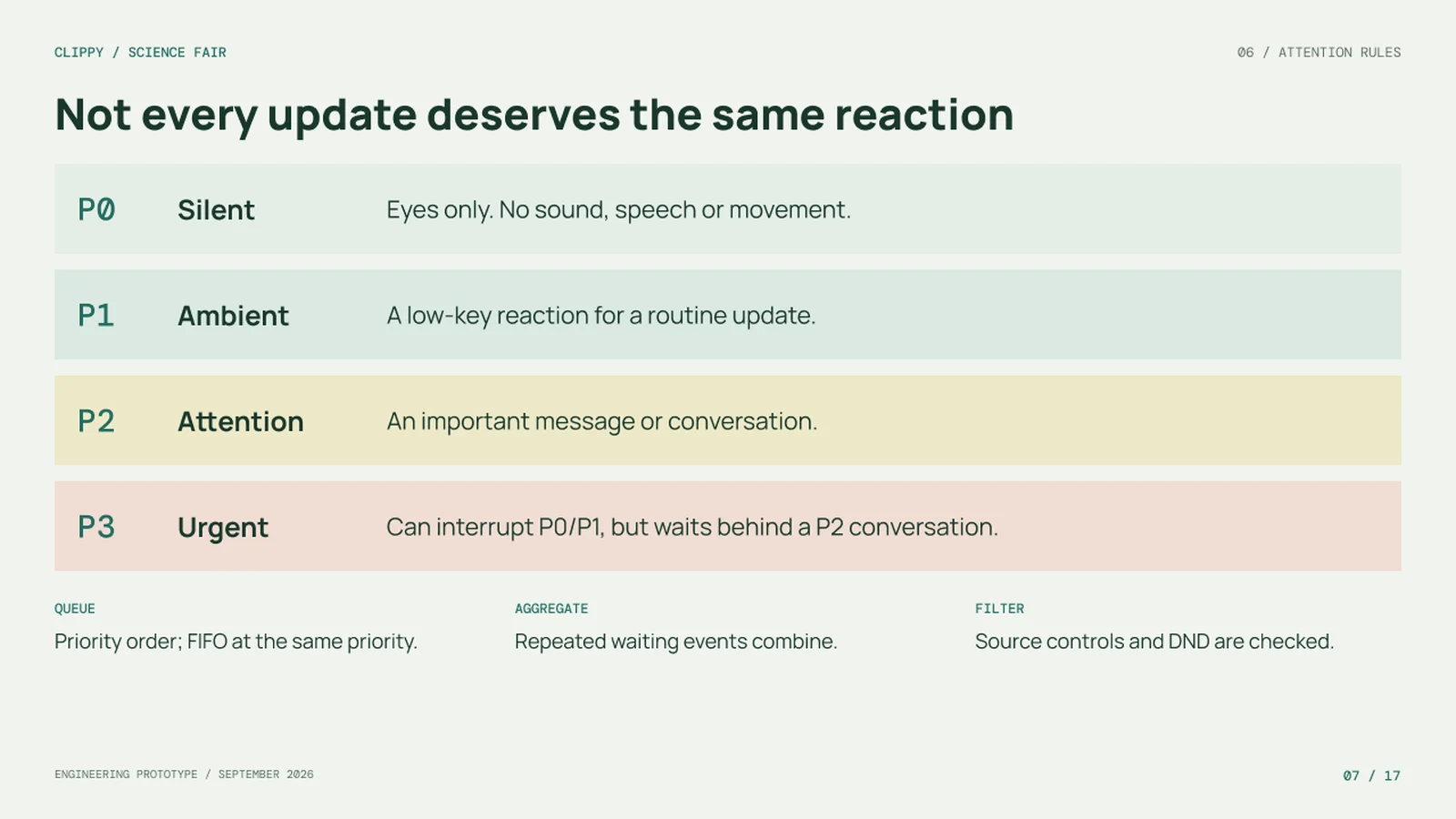
Not every update deserves the same reaction.
Every event passes through the same pipeline: detect, prioritize, orient, animate, sound, speak, then return to idle. Priority decides how far along that pipeline it gets.
| Priority | Examples | Behaviour |
|---|---|---|
| P0 Silent | Background sync, minor Figma updates | Eyes only. No sound, speech or movement. |
| P1 Ambient | New email, a Figma comment | A small movement and an eye animation |
| P2 Attention | A Teams message, a meeting soon | Turn toward you, a sound and a short line |
| P3 Urgent | A meeting starting now | A fast turn, wide eyes and voice. Can interrupt P0 and P1. |
Queue
Events wait in priority order, first in, first out at the same priority. An urgent alert waits behind a conversation already in progress.
Aggregate
Repeated waiting events combine, so seven Teams messages become one line: “You’ve got seven new Teams messages.”
Filter
Source controls and Do Not Disturb are checked first. Under DND only urgent P3 events get through.
You decide the interruption level
Voice can be off, important only or everything. Movement can be off, subtle or full. Intensity can be quiet, normal or expressive, and each notification source can be switched off.
06Camera and trust
Aware, not watchful.
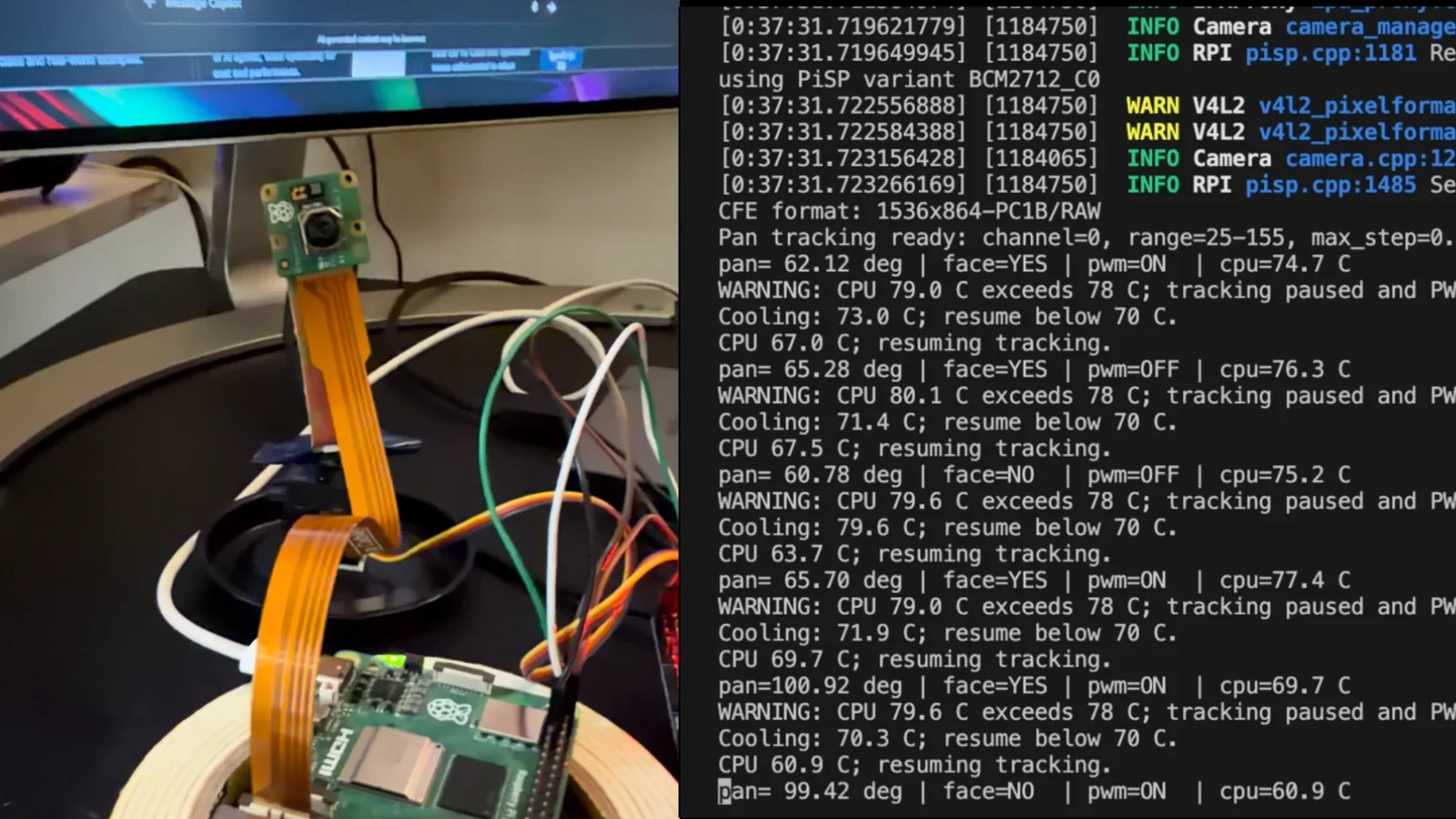
A camera lets Clippy turn toward the person who is talking to it, or toward something they hold up and ask about. It uses face detection to find where a face is, not who it is.
Slow, damped tracking
A dead zone ignores small offsets and direction changes need confirming, so the robot doesn’t twitch. When the face is lost it returns to centre.
Looking is always visible
When the camera is processing, the eyes change and a scan animation plays. Clippy never looks silently.
Presence, not identity
Clippy can wake when you sit down and hold notifications while you’re away, then summarize them when you’re back.
Off means off
Do Not Disturb and Camera Off suppress visual reactions and camera processing entirely.
07Building it
Design the behaviour before moving hardware.
We built an interaction studio first: a 3D simulator where a reaction is composed step by step. Each step sets an expression, gaze, app pupils, a gesture, a hold, a sound and a voice line, and the whole sequence previews instantly. No hardware is needed to design a behaviour.
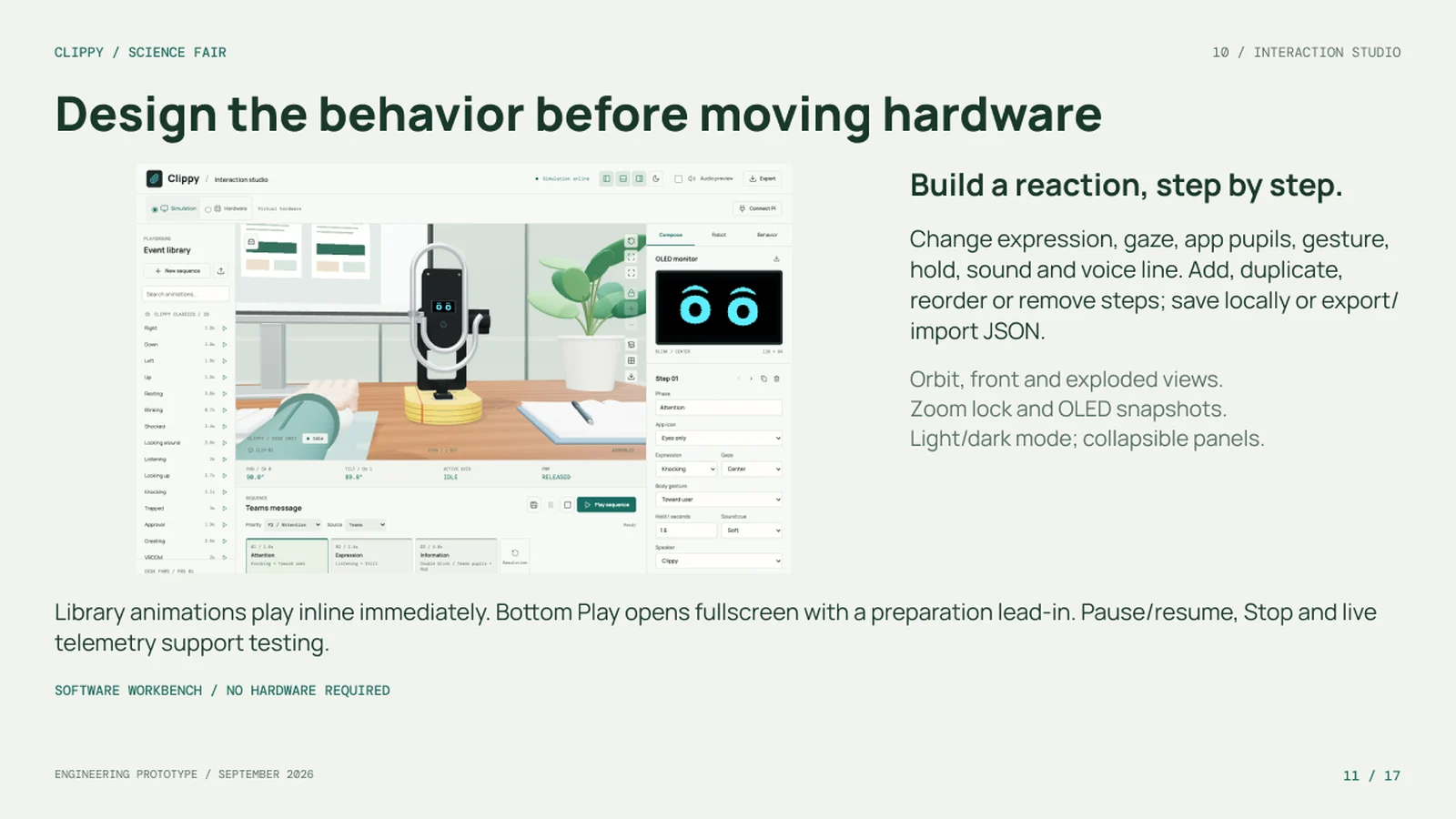
The same sequences then play on the robot, either over an authenticated connection to the Pi or as an offline package with prepared speech and display frames. Speech is generated locally with Piper, so no cloud service is needed.
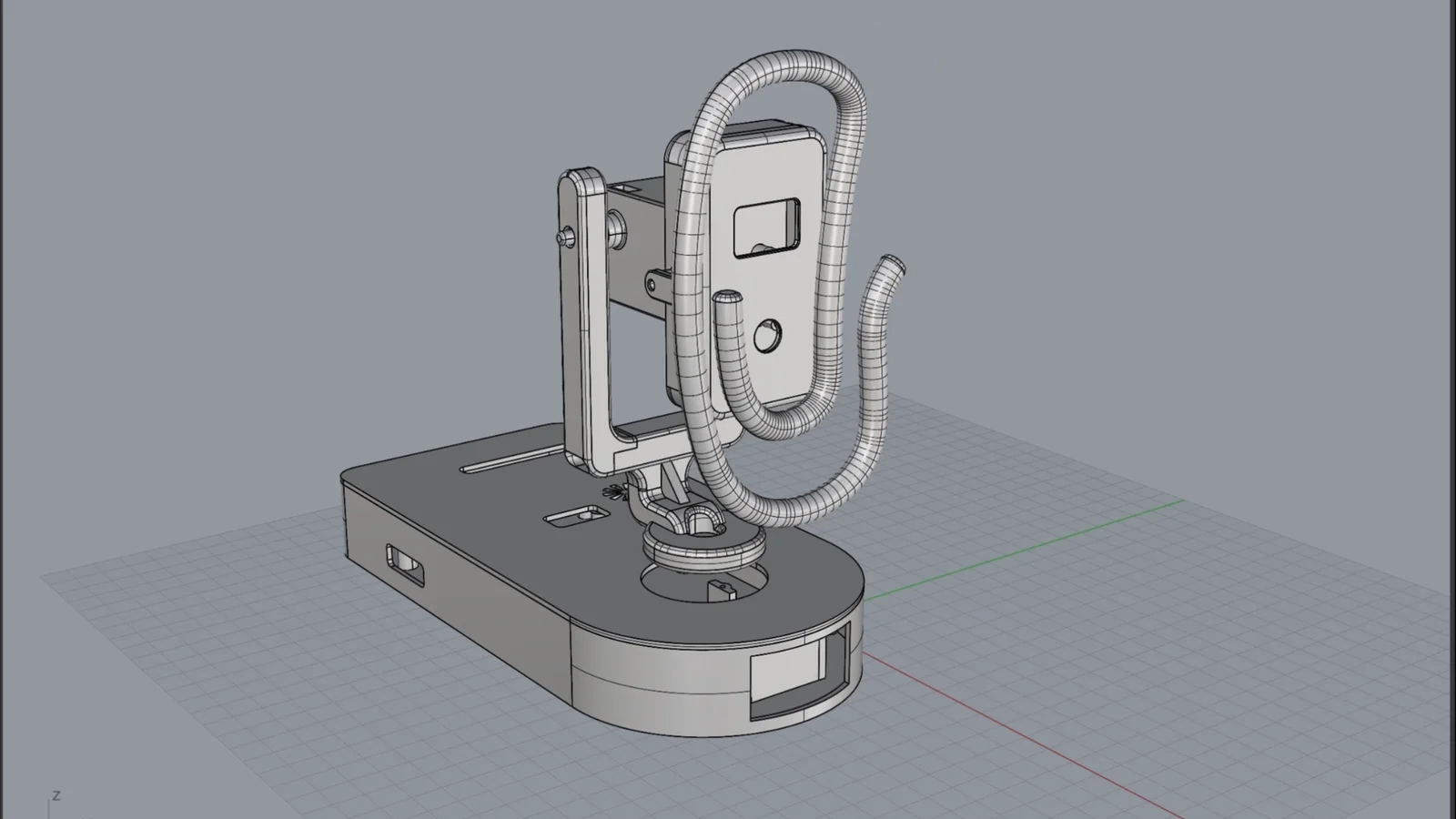
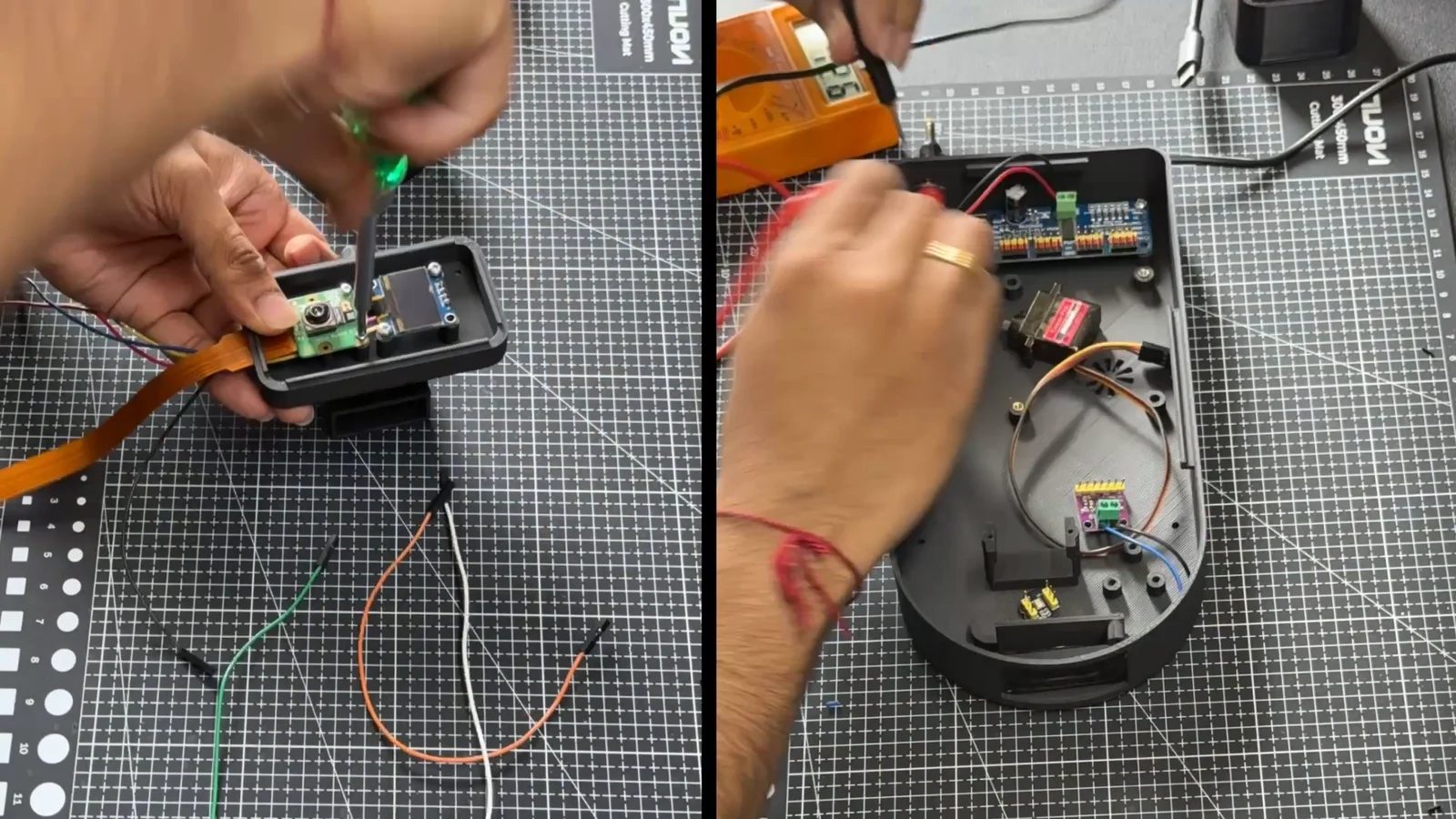
| Part | Role |
|---|---|
| Raspberry Pi 5 | Runs the behaviour and playback software |
| SSD1306 OLED | 128 × 64 one-bit eyes and app signals |
| PCA9685 servo driver | Channel 0 pans, channel 1 tilts |
| Camera Module 3 | Feeds the face-tracking script |
| MAX98357A amplifier | Speaker playback |
| INMP441 microphone | Wired, with live voice input still to come |
Safety is part of the behaviour
An early undervoltage incident shaped the design. Servos run on their own regulated supply, only one axis moves at a time, power to the servos is released once they settle, and a playback has to be explicitly armed. Connecting never moves a servo by itself.
08A workday with Clippy
24 authored steps, 18 spoken lines, about 86 seconds.
To show the system end to end, we scripted a workday with John, a designer. Clippy helps him get back into his design, flags quiet mail with envelope pupils, answers “what does my day look like?”, surfaces an important Teams message, warns him about his Figma AI allowance, goes quiet on request, and finally tells a joke, winks and goes to sleep.
09What we tested, what’s next
Honest about what’s proven and what isn’t.
- automated checks passing
- 152
- classic eye animations
- 29
- priority levels
- 4
- servo axes, moved one at a time
- 2
Eye rendering, priorities, quiet settings, the studio, local speech and the full story work in software. The Pi connection and offline playback are verified with mock outputs. The calendar answers and Teams context in the demo are sample data, not live lookups.
Can people recognize the signals?
Show randomized eye and gesture clips, and record the meaning people guess, how fast and how confidently.
Does a cue reduce screen switching?
Compare Clippy with on-screen alerts during the same task, and measure errors and return-to-task time.
Does the hardware stay stable?
Measure voltage, current and temperature during motion, and check clearance and Stop before a public demo.
The screen communicates emotion. The servo communicates attention. The voice communicates information. The camera provides context.
Design principle
Open to new work
Have a complex product that needs to feel obvious?
I turn tangled enterprise and AI workflows into experiences people trust, from research to shipped UX.
Let’s collab